
Clash 翻墙回国攻略:海外党如何轻松解锁国内剧、国服游戏和亲友视频?

Ever tried to watch the latest episode of your favorite domestic drama on iQiyi, only to get the annoying "地区限制无法播放" message? Or struggled to play Honor of Kings with your old friends back home, but the lag made you miss every skill shot? For overseas students, workers, and华人, these frustrations are all too familiar. Geo-blocking by domestic apps and websites based on your IP address is the main culprit, cutting you off from the content and connections you love. Many turn to Clash for 翻墙回国, but setting it up correctly can be tricky – and using untrusted nodes might put your data at risk. This guide will walk you through how to use Clash effectively, plus easier alternatives like one-click accelerators and router VPNs, so you can get back to seamless access to国内 resources without the hassle.
Why Clash is Popular for 翻墙回国 Among Overseas Chinese?
Clash isn't a standalone accelerator service – it's an open-source proxy tool that lets you manage multiple nodes and set custom rules for traffic routing. For tech-savvy overseas users, this flexibility is a big draw. You can prioritize traffic for your favorite apps, like letting your game data take the fastest line while your browser uses a more stable one. But here's the catch: Clash doesn't provide nodes on its own. You need to find reliable, high-speed nodes to connect to国内 servers, which can be a time-consuming process.
The Pros of Using Clash for 回国 Access
When you have the right nodes, Clash shines. It supports multiple protocols like Shadowsocks, V2Ray, and Trojan, so you can adapt to different network conditions. The custom rule feature lets you avoid routing all your traffic through the accelerator – meaning your local apps (like Netflix or Google Maps) still work as fast as usual. For example, if you're a student who needs to access both国内 course materials and local university resources, Clash can split the traffic seamlessly.
Common Pitfalls When Setting Up Clash for 翻墙回国
But for many overseas users, especially those who aren't familiar with proxy setups, Clash can be a headache. The biggest issue is finding trusted nodes. Free nodes you find online are often slow, unstable, or even risky – some might log your data or inject ads. Even paid nodes can vary in quality; you might spend hours testing different ones just to get a decent connection for watching a drama. Another problem is keeping up with node updates – nodes get blocked regularly, so you have to keep replacing them to maintain access.
Beyond Clash: The Easier Alternative – 海外华人一键回国加速器
If you don't want to deal with the technical details of Clash, a one-click回国 accelerator is a better choice. These services handle all the node management and rule setup for you, so you can connect to国内 resources with just a tap. One of the most reliable options for overseas华人 is Tomato Accelerator – it's designed specifically for users like you who want to watch国内 TV, play国服 games, or use apps like WeChat Pay without restrictions.
What Makes a Good One-Click Accelerator Stand Out?
A great one-click accelerator should solve all the pain points of Clash and other complicated tools. Let's take Tomato Accelerator as an example. First, it has a global network of nodes – over 30 countries and regions, including key locations like Singapore, Japan, and the US. The app uses smart algorithms to recommend the optimal line for your current location, so you don't have to test nodes manually. Whether you're in London or Sydney, you get the fastest connection possible.
Then there's multi-platform support. Tomato works on Android, iOS, Windows, and Mac – so you can use it on your iPhone, Android phone, Windows laptop, or Mac. Even better, one account lets you connect up to 5 devices at the same time. That's perfect for a family where everyone wants to watch their own shows or play games, or a student who uses multiple devices daily.
Stability and speed are non-negotiable. Tomato offers unlimited stable traffic – no more worrying about hitting data caps mid-drama. It uses smart分流 technology to route only domestic traffic through the accelerator, so your local apps don't slow down. For popular use cases, like watching国内 dramas or playing国服 games, Tomato has dedicated专线. These 100M独享 bandwidth lines are optimized for high-definition video streaming and low-latency gaming. I remember a friend in Canada who used to struggle with lag while playing Genshin Impact – after switching to Tomato's game专线, his ping dropped from 300ms to under 50ms, making the game playable again.
Security is another big concern. Tomato uses end-to-end encryption for all data transmission, and its专线 are isolated from public networks, so your personal info and online activities stay private. No more worrying about untrusted nodes or data leaks.
Finally, after-sales support. Tomato has a 24/7 professional tech team ready to help. If you run into any issues – like connection drops or app crashes – you can reach out via in-app chat or email, and they'll respond quickly. A colleague in Germany once had trouble connecting his smart TV to the accelerator; the tech team walked him through the steps over a video call, and he got it working in 10 minutes.
How to Use Tomato Accelerator for Seamless Domestic Access
Using Tomato is straightforward. Go to their official website and download the app for your device – whether it's your iPhone, Android phone, Windows laptop, or Mac. Then sign up for an account; they offer a free trial so you can test the service before committing. Once logged in, the app automatically recommends the best line for you. If you want to watch a drama, select the "影音专线" option; if you're gaming, pick the "游戏专线". Click the connect button, and you're good to go. You can switch between lines anytime if you notice lag or buffering.
Whole-Home Coverage: Router VPN 回国 Setup
For many overseas families, installing an accelerator on every device is a hassle. That's where router VPN 回国 comes in. By setting up the accelerator on your router, every device connected to your home Wi-Fi – from your smart TV to your kid's tablet – can access国内 resources without any extra apps.
Is Router VPN Right for Your Overseas Home?
Let's say you have a family in Australia. Your parents want to watch CCTV on the smart TV, your kid uses a tablet to watch Peppa Pig in Chinese, and you need to access国内 work documents on your laptop. Instead of installing the app on each device, a router VPN setup covers all of them. It's also great for devices that don't support accelerator apps, like some smart TVs or streaming boxes.
Key Considerations When Setting Up Router VPN for 回国
First, you need a router that supports VPN or proxy configurations. Most modern routers do, but check the specs before buying. Then, pick a reliable accelerator service that offers router setup guides – Tomato does this. Their website has step-by-step instructions for popular router brands like Asus and Netgear. Log into your router's admin panel, enter the VPN details provided by Tomato, and save the settings. Once set up, every device on your Wi-Fi will automatically connect to the accelerator. Just remember to choose a service with stable nodes, like Tomato, because a bad router setup can slow down your entire home network.
Final Tips to Avoid Geo-Blocking Frustrations
Whether you choose Clash, a one-click accelerator like Tomato, or a router VPN, there are a few things to keep in mind. For Clash users, always get nodes from trusted sources – avoid free ones that sound too good to be true. For one-click users, look for services with dedicated专线 for your main use cases, like海外看爱奇艺 or playing王者荣耀国服. For router VPN users, ensure your router is compatible and the service offers good support. Test speed and stability regularly; switch lines or contact support if you notice issues.
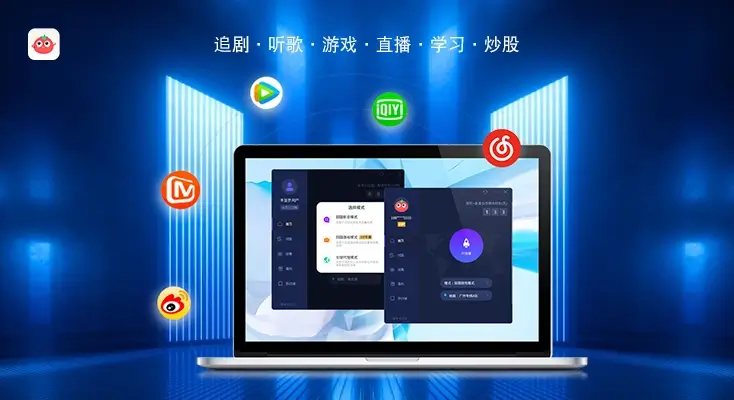
Going back to those initial frustrations: missing domestic dramas, lagging in games with old friends, or failing to use WeChat Pay for gifts. These small things add up to feeling disconnected from home. Whether you're tech-savvy and love Clash's flexibility, busy and prefer Tomato's one-click ease, or need whole-home coverage via router VPN, there's a solution. Tomato Accelerator checks all boxes: easy to use, multi-device support, stable专线, secure, and great after-sales. Give it a try – you might just get back that seamless access to home you've been missing.